

Most businesses invest heavily in content, paid ads, and social media but overlook the foundation that determines whether any of it actually delivers results. If Googlebot can’t crawl, understand, and trust your website, even the best SEO strategy will struggle to perform.
That’s where a technical SEO audit comes in. It’s a comprehensive review of your website’s behind-the-scenes infrastructure, identifying issues that may be preventing search engines from properly accessing, indexing, and ranking your content. From crawlability and indexation to site speed, Core Web Vitals, and security, a technical audit uncovers the problems holding your website back.
At Blogging Ninjaz, every SEO campaign starts with a technical audit because fixing the foundation creates the best environment for long-term organic growth.
What Is a Technical SEO Audit?

You know how sometimes a car looks perfectly fine on the outside but won’t start? That’s exactly what can happen with a website.
Everything looks great on the front end, but something behind the scenes is broken, and Googlebot can’t do its job properly.
A technical SEO audit is a deep fall into your website to find all those hidden problems. It checks how fast your pages load, whether Googlebot can crawl and index your content, if your site is secure, and a whole lot more.
It’s not about your blog posts or keywords, it’s purely about the behind-the-scenes stuff that helps search engines understand and rank your site.
🎬 Prefer watching over reading? Here’s a beginner-friendly walkthrough:
Technical SEO Audit vs SEO Audit
People mix these up all the time, so let’s clear it up quickly.
| Feature | Technical SEO Audit | Full SEO Audit |
| Focus | Site health & infrastructure | Everything: content, links, technical |
| Covers Content? | No | Yes |
| Covers Backlinks? | No | Yes |
| Covers Site Speed? | Yes | Yes |
| Best For | Fixing technical issues | Overall SEO strategy |
A technical audit is one piece of the bigger SEO puzzle, but it’s the foundation. If your technical base is broken, even the best content in the world won’t rank.
Why Technical SEO Matters
Google has to do three things with your website, find it, read it, and decide if it’s worth showing to people.
Technical SEO makes sure Googlebot can do all three without hitting roadblocks. If your pages are slow, blocked, or throwing errors, Google gets stuck, and your rankings drop.
Good technical SEO means better crawling, better indexing, and better rankings.
Benefits of Running Regular Technical Audits
Running an audit once and forgetting about it won’t work. Websites change constantly, pages get added, plugins update, things break.
Regular audits keep everything in check:
- Better rankings: Fix issues before they silently drag your site down
- Faster website: Technical fixes like image compression speed things up noticeably
- Better user experience: A clean, fast, error-free site keeps visitors engaged longer
- Early problem detection: Catch small issues before they become big disasters
- Competitive edge: Most site owners ignore technical SEO until something breaks badly
Technical SEO Audit Tools You’ll Need

You don’t need to be a coding genius to run a technical SEO audit. Here are the tools that do the heavy lifting:
| Tool | Cost | Best For |
| Google Search Console | Free | Indexation, crawl errors, Core Web Vitals |
| Screaming Frog SEO Spider | Free/Paid | Full site crawl, broken links, redirects |
| Google Analytics 4 | Free | Traffic data, user behavior |
| PageSpeed Insights | Free | Page speed scores per URL |
| Semrush Site Audit | Paid | Comprehensive all-in-one audit |
Google Search Console
This free tool is your most direct line of communication with Google.
It shows you which pages are indexed, flags crawl errors, reports Core Web Vitals scores, and tells you when something is wrong. If you don’t have it set up, do it right now, it’s non-negotiable.
Here’s what you can do with it:
- Check which pages Googlebot has indexed and which ones it hasn’t
- Find crawl errors and coverage issues in the Coverage report
- See your Core Web Vitals scores straight from Google
- Identify pages that are accidentally blocked from being crawled
- Monitor search performance, impressions, and click-through rates over time
Screaming Frog SEO Spider
Screaming Frog SEO Spider crawls your website just like Googlebot does.
It finds broken links, duplicate content, missing meta tags, and redirect issues all in one place. The free version handles up to 500 URLs, perfect for smaller sites.
The paid version is ideal for larger websites with thousands of pages.
Google Analytics 4
GA4 gives you behavioral data that’s incredibly useful during audits, pages with high bounce rates, content that gets zero traffic, and navigation patterns that suggest something isn’t working for real users.
PageSpeed Insights
This free Google tool gives you a performance score out of 100 for both mobile and desktop, your Core Web Vitals scores, and specific recommendations on exactly what to fix to make your pages faster.
| Score Range | Rating | What It Means |
| 90-100 | Good | Your page is fast, keep it up |
| 50-89 | Needs Improvement | Some issues slowing things down |
| 0-49 | Poor | Serious speed problems to address |
Semrush Site Audit
Semrush crawls your entire site, gives you an overall health score, and categorizes every issue by severity so you know what to fix first. It’s paid, but worth it for anyone managing a larger site seriously.
🎬 Watch this Semrush site audit walkthrough to see exactly how it works:
Check Crawlability and Indexability
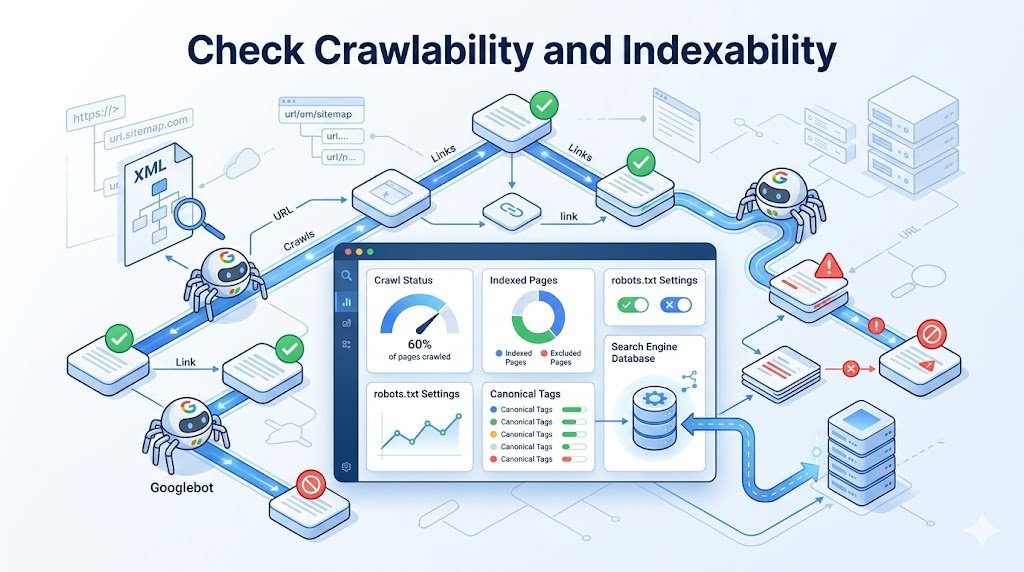
Before Googlebot can rank your pages, it needs to find them and read them.
If either crawlability or indexability is broken, your pages don’t exist in Google’s eyes, no matter how good your content is.
Review Robots.txt
Your robots.txt file tells crawlers like Googlebot and Bingbot which pages to visit and which to skip.
Common mistakes include:
- Accidentally blocking important pages or entire directories
- Disallowing CSS or JavaScript files that Googlebot needs to render pages
- Blocking crawlers from your entire site
- Forgetting to point to your XML sitemap location inside the file
Check it at yourwebsite.com/robots.txt every single audit. One wrong line can make huge sections of your site invisible to Google.
Validate XML Sitemaps
Your XML sitemap is a roadmap you hand directly to Google. XML sitemap best practices to follow:
- Include all important indexable pages, nothing more, nothing less
- Exclude redirected, noindex, broken, or low-quality URLs
- Submit and verify it in Google Search Console
- Update it automatically whenever new content is published
- Keep file size under 50MB and 50,000 URLs per sitemap file
- Use a sitemap index file if your site has multiple sitemaps
A bloated sitemap with broken or redirected URLs actually works against you, Google sees it as a sign of poor site maintenance.
Check Blocked Resources
Sometimes CSS files, JavaScript files, or images get accidentally blocked from Googlebot through robots.txt or server settings. Use Google Search Console’s URL Inspection tool to check how Google is rendering your pages. If important resources show as blocked, update your robots.txt or server configuration to allow access.
Identify Crawl Budget Issues
Google has a crawl budget, a limit on how many pages Googlebot will crawl in a given period.
Things that waste your crawl budget unnecessarily:
- URL parameters like ?color=red&size=large
- Duplicate pages accessible through multiple URLs
- Low-quality or thin content pages
- Broken pagination setups
- Faceted navigation generating thousands of filtered URLs
For faceted navigation specifically, this is a huge crawl budget killer for e-commerce sites.
When your site generates special URLs for every filter combination (size + color + price), Googlebot gets stuck crawling thousands of near-identical pages instead of your real content.
Use canonical tags or robots.txt to block these filtered URLs from being crawled.
Audit Website Architecture

A well-organized site makes it easy for both users and search engines to find content. A messy structure confuses Googlebot, dilutes link authority, and makes ranking harder.
Analyze Site Structure and Crawl Depth
Your structure should follow a clear hierarchy, homepage at the top, category pages below it, and individual posts at the bottom.
Crawl depth matters a lot too:
| Crawl Depth | Status | Action Needed |
| 1-2 clicks from homepage | Excellent | No action needed |
| 3 clicks | Good | Acceptable for most content |
| 4-5 clicks | Warning | Improve internal linking |
| 6+ clicks | Problem | Restructure site architecture |
No important page should be more than three clicks from your homepage.
Find Orphan Pages and Improve Internal Linking
Orphan pages have no internal links pointing to them, Googlebot can’t find them through normal crawling.
Run a Screaming Frog SEO Spider crawl, compare it to your sitemap, and find pages that aren’t linked from anywhere.
Then fix your internal linking by:
- Pointing from high-authority pages to pages you want to rank
- Using descriptive, keyword-rich anchor text
- Making sure every important page has at least a few internal links pointing to it
- Avoiding links to redirects, broken pages, or noindex pages
Check Website Indexation and Fix Crawl Errors

If a page isn’t in Google’s index, it can’t rank. Head into Google Search Console’s Coverage report and check the status of your pages.
Fix all errors immediately, review excluded pages, and audit every noindex tag to confirm it’s intentional.
For crawl errors, here’s a quick reference:
| Error Type | Fix |
| 404 errors | Redirect to relevant page or fix broken links |
| 5xx server errors | Contact hosting provider immediately |
| Redirect chains | Update to go directly to final URL in one hop |
| Redirect loops | Untangle using Screaming Frog or server logs |
| Broken internal links | Update links or set up proper redirects |
Also fix canonicalization issues by making sure every page has a self-referencing canonical tag, and use 301 redirects to consolidate duplicate URLs caused by trailing slashes, www vs non-www, or HTTP vs HTTPS variations.
Real example: On a client site audit, we found 47 pages accidentally set to noindex after a theme update.
Those pages had been invisible to Google for three months. After fixing the noindex tags, organic traffic to those pages recovered within six weeks. Small mistakes like this are exactly why regular audits matter.
Audit Core Web Vitals and Site Speed

Google officially uses Core Web Vitals as a ranking factor.
These three metrics measure the real-world experience of using your pages:
- LCP (Largest Contentful Paint): Should be under 2.5 seconds. Fix by compressing images and improving server response time.
- INP (Interaction to Next Paint): Should be under 200ms. Fix by reducing heavy JavaScript on the page.
- CLS (Cumulative Layout Shift): Should be under 0.1. Fix by specifying image dimensions and avoiding content that shifts after loading.
For mobile, Google uses mobile-first indexing, so if your site doesn’t work well on phones, your rankings suffer.
Check Google Search Console’s Mobile Usability report regularly, test your site on real devices, and make sure your navigation is easy to use on touchscreens with buttons large enough to tap comfortably.
Validate Structured Data and Audit HTTPS Security

Schema markup helps Googlebot understand your content better and can unlock rich results in search, like star ratings, FAQ dropdowns, and article info.
Use Google’s Rich Results Test to check if your structured data is implemented correctly, and fix any missing required fields or markup that doesn’t match your visible page content.
The most useful schema types for bloggers and content sites:
- Article Schema: Helps Google understand your blog posts and can surface author and date info in search results
- FAQ Schema: Displays expandable questions directly in the search results, great for long-tail traffic
- Breadcrumb Schema: Shows your site hierarchy in the search result URL path, improving click-through rates
On the security side, every page should be served over HTTPS with a valid SSL certificate.
Check that all HTTP URLs redirect properly to HTTPS, fix any mixed content issues where HTTP resources are loading on HTTPS pages, and set up SSL renewal reminders so your certificate never expires unexpectedly.
Perform a JavaScript SEO Audit

This is one of the most overlooked parts of a technical audit, and one of the most damaging when ignored.
How Search Engines Render JavaScript
Googlebot processes websites in two waves. First it crawls your raw HTML. Then, sometimes days or weeks later, it comes back to render the JavaScript.
This means if your important content is loaded via JavaScript, it might not get indexed immediately or at all.
Common Rendering Issues
- Navigation menus built entirely in JavaScript that Googlebot can’t follow
- Content that only appears after a user interaction like a button click
- Internal links generated dynamically through JavaScript frameworks
- Lazy-loaded images without proper fallbacks for crawlers
Server-Side vs Client-Side Rendering
Client-side rendering (CSR) means your browser builds the page using JavaScript. Server-side rendering (SSR) means the server sends a fully built HTML page to the browser.
For SEO, server-side rendering is almost always better because Googlebot can read the full content immediately without needing to execute JavaScript first.
If you’re running a React, Vue, or Angular site, make sure critical content and links are available in the initial HTML, not just after JavaScript runs.
Use Google Search Console’s URL Inspection tool and click “Test Live URL” to see exactly what Googlebot sees when it renders your page.
Conduct a Log File Analysis

Log file analysis is one of the most powerful, and most underused, parts of a technical SEO audit.
What Log Files Tell You
Your server log files record every single request made to your server, including every time Googlebot or Bingbot visits your site.
This tells you exactly which pages crawlers are visiting, how often they’re coming back, and which parts of your site they’re completely ignoring.
This is real data straight from your server, not an estimate from a third-party tool. It’s the most accurate picture of crawler behavior you can get.
Identify Crawl Waste
Log file analysis often reveals that Googlebot is spending huge amounts of its crawl budget on pages you don’t care about, old URL parameters, thin tag pages, outdated pagination URLs, or even admin pages that weren’t properly blocked.
Real example: During one log file audit, we found Googlebot was spending 60% of its crawl budget on filtered category URLs that had zero search value.
After blocking them via robots.txt, Google started crawling the important product pages more frequently and rankings improved within two months.
Improve Crawl Efficiency
Once you know where Googlebot is wasting time, you can redirect that crawl budget toward your most important pages.
Block low-value URLs via robots.txt, fix or remove thin pages, clean up your internal linking, and consolidate duplicate URLs. The goal is to make every Googlebot visit count.
Technical SEO Audit Checklist (2026)
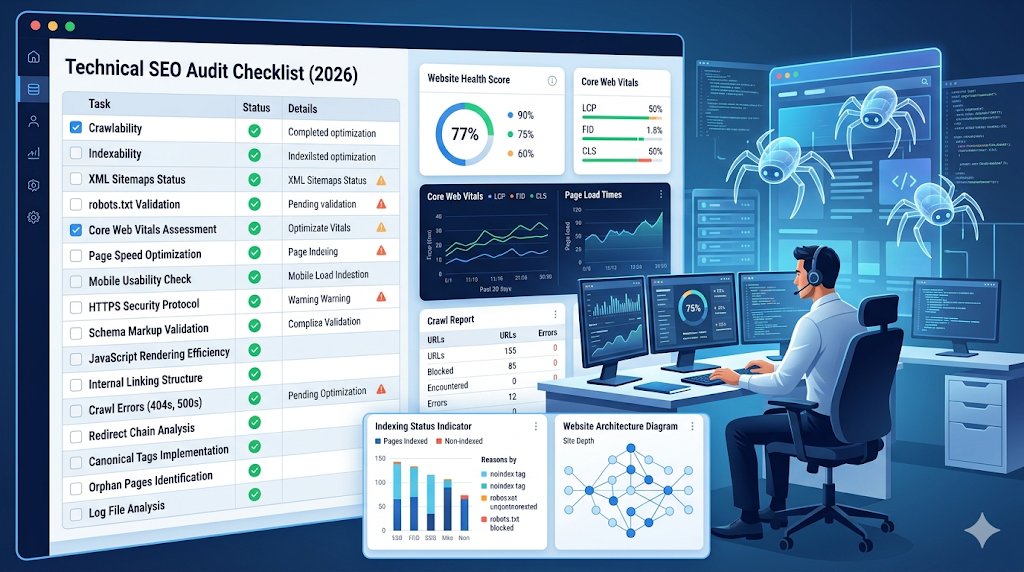
This is the section you actually want to bookmark. Work through every item below during your audit and check them off one by one.
Crawlability Checks
- Review robots.txt for accidentally blocked pages or resources
- Validate XML sitemap is clean, accurate, and submitted in Google Search Console
- Check that CSS, JavaScript, and image files are accessible to Googlebot
- Identify and eliminate crawl budget waste from URL parameters and faceted navigation
- Confirm Googlebot and Bingbot can access all important pages
Indexability Checks
- Review indexed page count in Google Search Console Coverage report
- Audit all noindex tags, confirm every exclusion is intentional
- Fix all canonical tag issues, every page should have a self-referencing canonical
- Consolidate duplicate URLs with 301 redirects
- Remove or redirect thin, low-quality, or duplicate pages
Performance Checks
- Check LCP score: should be under 2.5 seconds
- Check INP score: should be under 200ms
- Check CLS score: should be under 0.1
- Compress and properly size all images
- Minify CSS and JavaScript files
- Enable browser caching
- Use a CDN for faster global delivery
- Audit mobile usability in Google Search Console
Schema Checks
- Test structured data using Google’s Rich Results Test
- Validate Article schema on all blog posts
- Check FAQ schema for accuracy and completeness
- Ensure Breadcrumb schema matches actual site structure
- Fix any missing required fields or markup errors
Security Checks
- Confirm every page is served over HTTPS
- Verify all HTTP URLs redirect to HTTPS with 301 redirects
- Fix all mixed content issues
- Validate SSL certificate is active and not expiring soon
- Set up automatic SSL renewal reminders
Common Technical SEO Issues and Fixes
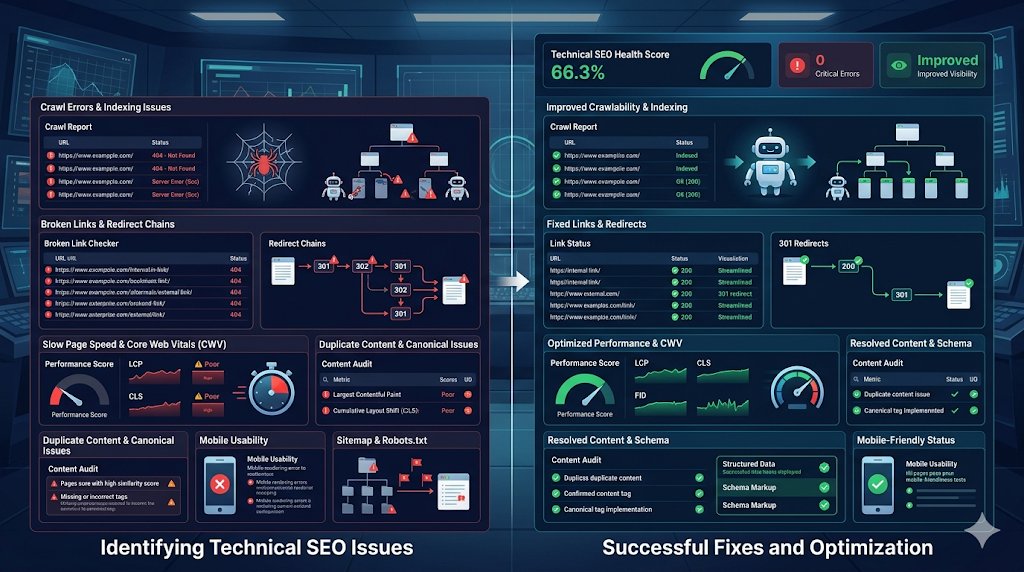
Here’s a quick reference for the most common problems found during audits:
| Issue | Likely Cause | Fix |
| Pages not indexed | Noindex tag, blocked in robots.txt, or crawl errors | Remove noindex, update robots.txt, fix errors |
| Slow loading pages | Large images, render-blocking scripts, slow hosting | Compress images, defer scripts, upgrade hosting |
| Broken links | Pages deleted or URLs changed without redirects | Set up 301 redirects or update links |
| Missing structured data | Schema never added or incorrectly implemented | Add and validate schema using Rich Results Test |
| Poor internal linking | Orphan pages, no links to important content | Audit internal links and add links from relevant pages |
| Duplicate content | Multiple URLs serving same content | Canonical tags and 301 redirects |
| JavaScript SEO issues | Content rendered client-side only | Switch to server-side rendering for critical content |
How Often Should You Perform a Technical SEO Audit?

| Site Type | Recommended Frequency |
| Small blog or website | Once or twice a year |
| Medium-sized website | Every 3-6 months |
| Large or e-commerce site | Monthly |
Always run an audit any time something major changes, like switching hosting providers, redesigning your site, migrating to a new domain, or after a major Google algorithm update.
Conclusion
A technical SEO audit isn’t the most glamorous part of SEO, but it’s absolutely the foundation everything else is built on. You can have the best content and the strongest backlink profile in your niche, but if your technical base is broken, none of it matters.
Start with free tools like Google Search Console and Screaming Frog, work through each section of this guide systematically, and make technical audits a regular habit rather than a panic response when traffic suddenly drops.
The good news? Most technical SEO issues are completely fixable once you know they exist. You don’t need to be a developer or a tech wizard, you just need the right tools, a clear checklist, and a little consistency.
If you’re just getting started with SEO, check out our complete beginner’s guide to SEO to understand the bigger picture. Fix the foundation first, everything else gets easier after that.
Frequently Asked Questions
How long does a technical SEO audit take?
It depends on the size of your website. For a small blog with under 50 pages, a basic audit can take 2 to 3 hours. For a medium-sized site with a few hundred pages, expect to spend a full day or more going through everything properly. Large e-commerce sites with thousands of pages can take several days to audit thoroughly. Using tools like Screaming Frog SEO Spider and Semrush speeds the process up significantly since they automate the crawling and issue detection parts, leaving you to focus on actually fixing things.
Can I do a technical SEO audit for free?
Absolutely. Google Search Console, Google Analytics 4, and PageSpeed Insights are all completely free and cover a huge chunk of what a technical audit involves. Screaming Frog’s free version handles up to 500 URLs which is more than enough for most small websites and blogs. You don’t need to spend money on paid tools to run a solid audit, especially when you’re just starting out. Paid tools like Semrush just make the process faster and more automated for larger sites.
What is the most common technical SEO issue?
The most common issues found during technical SEO audits are slow page speed, broken internal links, missing or duplicate meta tags, pages accidentally blocked from indexing, and improper redirect setups. Slow page speed is probably the single most widespread problem, most websites have at least a few unoptimized images or render-blocking scripts dragging their load time down. The good news is that most of these issues are straightforward to fix once you know they exist, which is exactly why running regular audits is so valuable.